Miso AV Lab
Speaker, display and HDR tests for Apple TV, Mac, iPhone and iPad.
Made for home theatre enthusiasts and AV installers, Miso AV Lab sends test tones and patterns from your Apple device to your TV or projector, and to your receiver or soundbar. Identify each loudspeaker up to 7.1, play an Atmos file on your height speakers, show reference patterns and HDR windows, check motion, and line up picture and sound.
The download includes Discovery, the information pages, and some tests. The Full Catalogue in-app purchase adds the rest.
You judge each test
Miso AV Lab plays the signal and shows the pattern. You listen and look. It does not measure light output or sound level, it does not calibrate your equipment, and it gives no pass or fail verdicts. What it reports, it reports as the system gives it.
What your setup reports
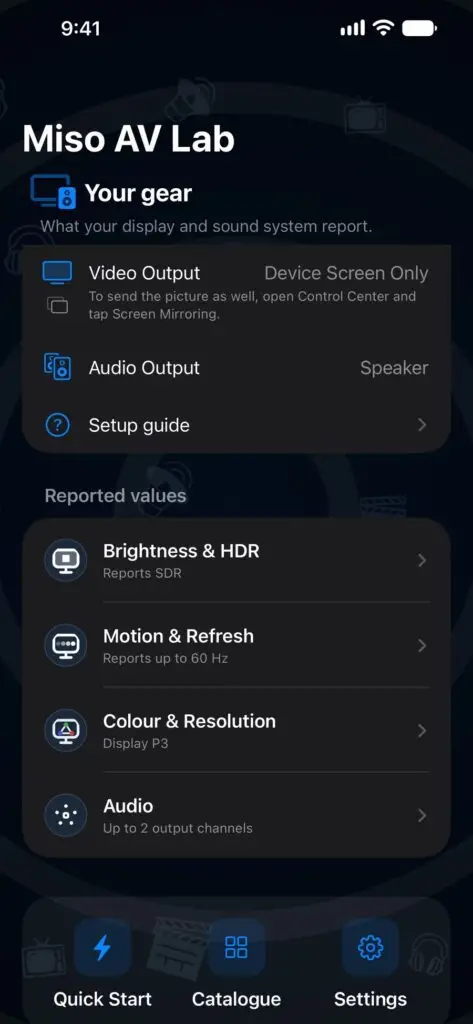
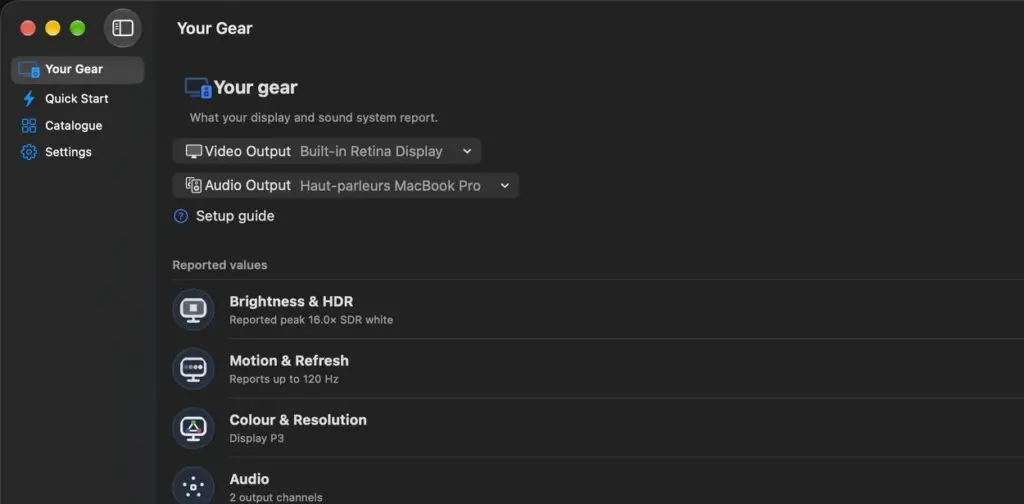
Discovery shows on one page what your screen and sound system report to your Apple device: HDR headroom, refresh rate, colour gamut, channel count and spatial rendering support. The values come unchanged from Apple’s public APIs. Where the system gives no value, the app shows “Not reported”.
Two probes go further. The brightness probe raises a window’s brightness and shows the reported peak and sustained headroom. The motion probe counts the frames the display link delivers, including the slowest sustained rate.
Included with the download.
Hear each speaker in turn
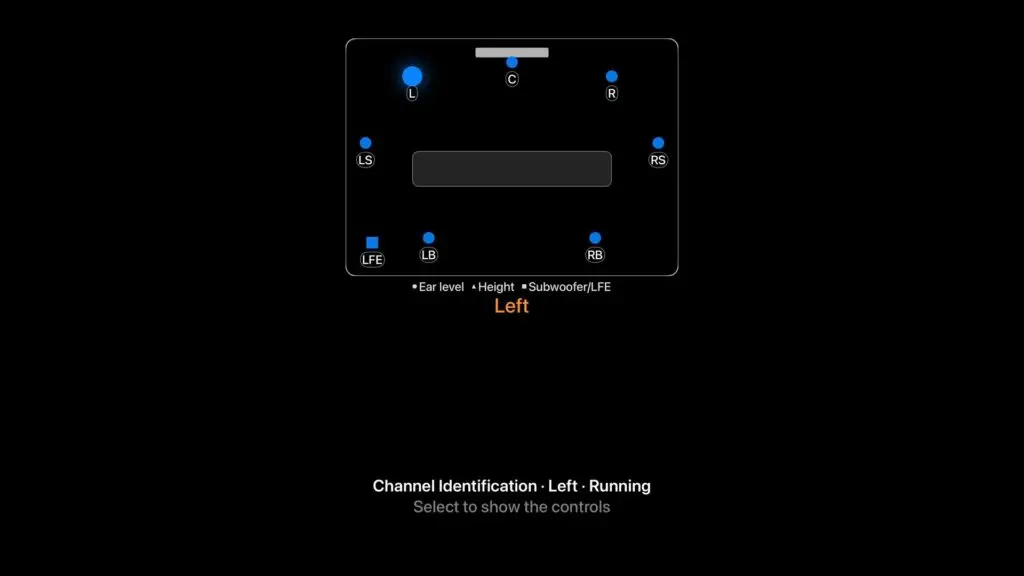
Channel identification announces each loudspeaker by name, plays a tone through it and lights it on the room diagram, from mono to 7.1. The Atmos test plays a real encoded file, to check that your receiver decodes it and reaches the height speakers. The Audio Configuration Lab lets you build your own configuration and test it on speakers or headphones.
Tones, frequency sweeps, an LFE sweep, a crossover check, reference pink noise and a phase and polarity check cover the rest of the chain. Spatial Audio Pan lets the system’s spatial audio move a sound around you. The lip-sync test flashes and clicks together, with an adjustable offset.
Included with the download: 5.1, the layout matching your output, and Spatial Audio Pan. The Full Catalogue adds every other layout and test.
Full-screen test patterns
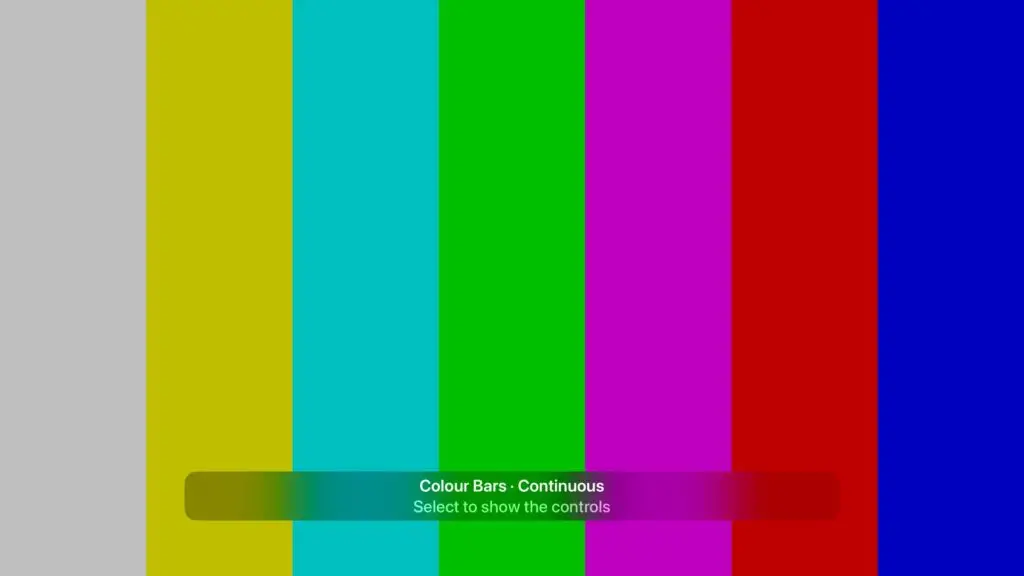
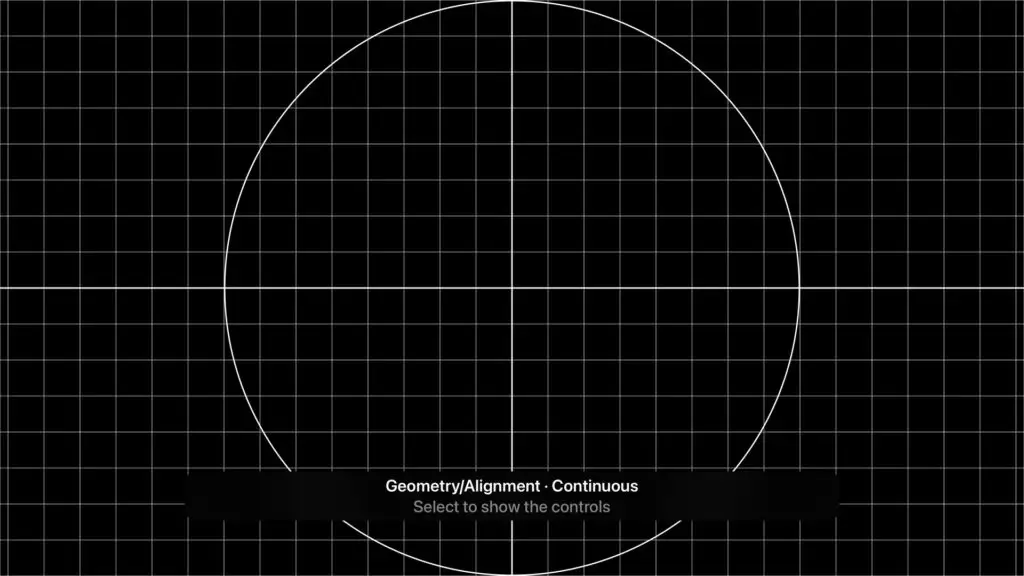
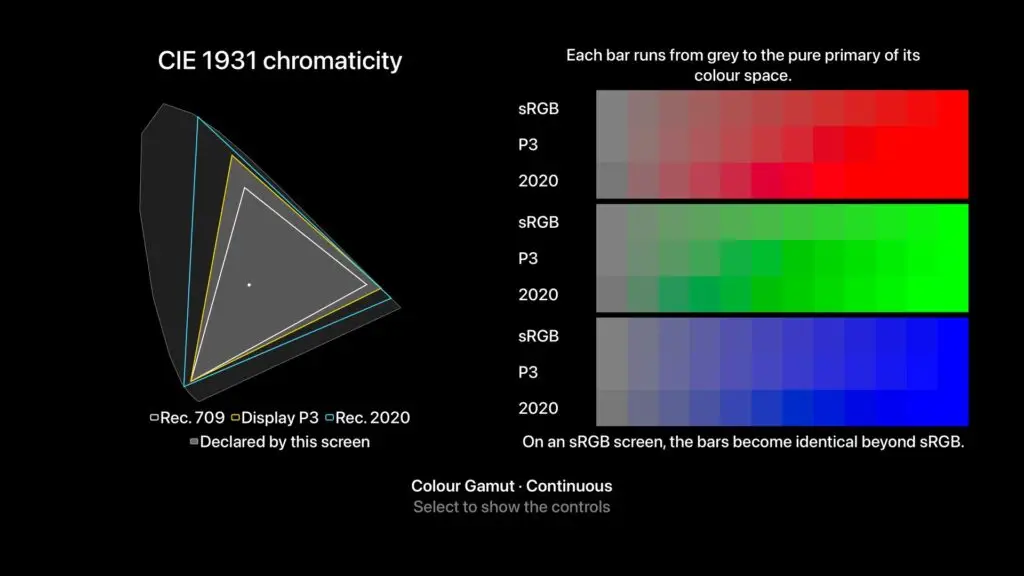
Overscan and safe area, a ruler, geometry and alignment, resolution and scaling down to single pixels, colour bars, greyscale and gamma, uniformity, and a dead and stuck pixel test. Colour Gamut places Rec. 709, Display P3 and Rec. 2020 on the CIE 1931 diagram.
Included with the download: Colour Gamut and the 1:1 resolution demo. The Full Catalogue adds the other patterns.

HDR windows and motion
HDR windows show a bright patch at the level you choose, next to SDR white, and enlarge it step by step from 1% to 100% of the screen: you see whether your screen dims it as it grows. The HDR pixel probe shows local dimming and blooming.
Frame rate and judder tests move an object at the rate you pick and count the frames as they arrive. On Apple TV with Match Content turned on, the TV switches to the test’s frame rate.
The flash and tearing test opens in safe mode. Faster rates ask for your confirmation every time.
Requires the Full Catalogue.
Quick Start, step by step
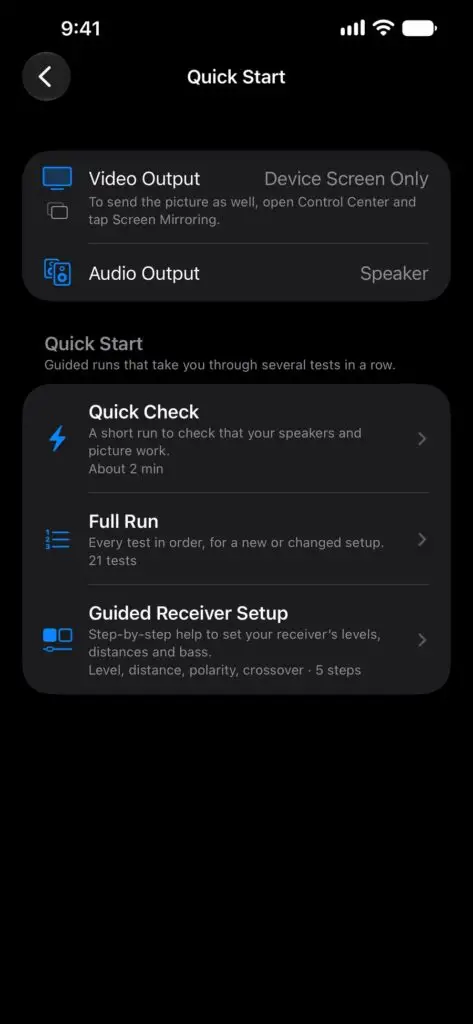
Quick Check reports how many channels and what spatial support your output negotiates, then plays each speaker in turn, in about two minutes. Guided Sweep is a full commissioning pass. Guided calibration walks you through level, distance, polarity and crossover, and you enter each setting in your receiver.
Requires the Full Catalogue.
Apple TV, Mac, iPhone and iPad
On Apple TV, the tests go out over HDMI to your TV or projector and to your receiver.
One purchase of the Full Catalogue unlocks every platform on the same Apple Account, and your family shares it through Family Sharing.
On a Mac, a pattern can fill a second display while the controls stay on the first, and tones play on the sound output you pick.
What’s included
Included with the download
- Discovery: HDR headroom, refresh rate, colour gamut, channel count and spatial rendering support
- Brightness probe: peak and sustained headroom as reported
- Motion probe: the frame rate the display link delivers, including the slowest sustained rate
- Channel identification at 5.1 and at the layout matching your output
- Spatial Audio Pan: the system’s spatial audio moves a sound around you
- Colour Gamut: Rec. 709, Display P3 and Rec. 2020 on the CIE 1931 diagram
- 1:1 resolution demo, down to single pixels
- Display & Link Info, Audio Output Capability, and the ARC / eARC & HDCP checklist
Full Catalogue in-app purchase
- Channel identification on every layout, from mono to 7.1
- Atmos (Encoded File): checks that your receiver decodes Atmos and reaches the height speakers
- Tone, frequency sweep, LFE sweep, crossover check, reference pink noise, and phase and polarity check
- Overscan and safe area, ruler, geometry and alignment, resolution and scaling, colour bars, greyscale and gamma, uniformity, and dead or stuck pixels
- HDR windows at the level you choose, from 1% to 100% of the screen
- HDR pixel probe for local dimming and blooming
- Frame rate and judder tests
- Lip-sync test with an adjustable offset
- Flash and tearing test with photosensitivity protection
- Quick Start: Quick Check, Guided Sweep and guided calibration
- Audio Configuration Lab: build your own configuration and test it on speakers or headphones
Also in the app: a room diagram and a loudspeaker placement guide with cited sources, a wiring guide, favourites and presets for repeated tests, and an interface in nine languages.
No account, no ads, no data collection
There is no account, no analytics and no ads, and the app has no server to talk to. It works without an internet connection, and your settings stay on your device. Read the privacy policy.
Questions
Do I need an HDR TV or a surround system?
No. Every screen also works on the device alone. On an SDR display, Discovery reports SDR and the HDR tests show that no extended range is reported. On stereo output, channel identification plays the channels the output accepts and tells you the system mixes the others into the speakers you have.
Does it calibrate my TV or measure sound level?
No. It plays the signals and shows the patterns, and you judge them. Guided calibration tells you which settings to enter in your receiver.
Which speaker layouts are there?
Mono, stereo, 5.1 and 7.1. The download includes 5.1 and the layout matching your output, and the Full Catalogue adds the others. On Apple TV, uncompressed multichannel sound stops at 7.1, so height speakers are tested with a real Atmos file. The Audio Configuration Lab lets you build your own configuration.
Does one purchase cover all my devices?
Yes. The Full Catalogue is one in-app purchase for iPhone, iPad, Mac and Apple TV on the same Apple Account, and it works with Family Sharing. To restore it, go to Settings, then Store, then Restore Purchases.
What does it run on?
iOS 26, iPadOS 26, macOS Tahoe 26 or tvOS 26, or later.
Which languages does it speak?
English, French, German, Italian, Japanese, Korean, Spanish, Simplified Chinese and Traditional Chinese.